


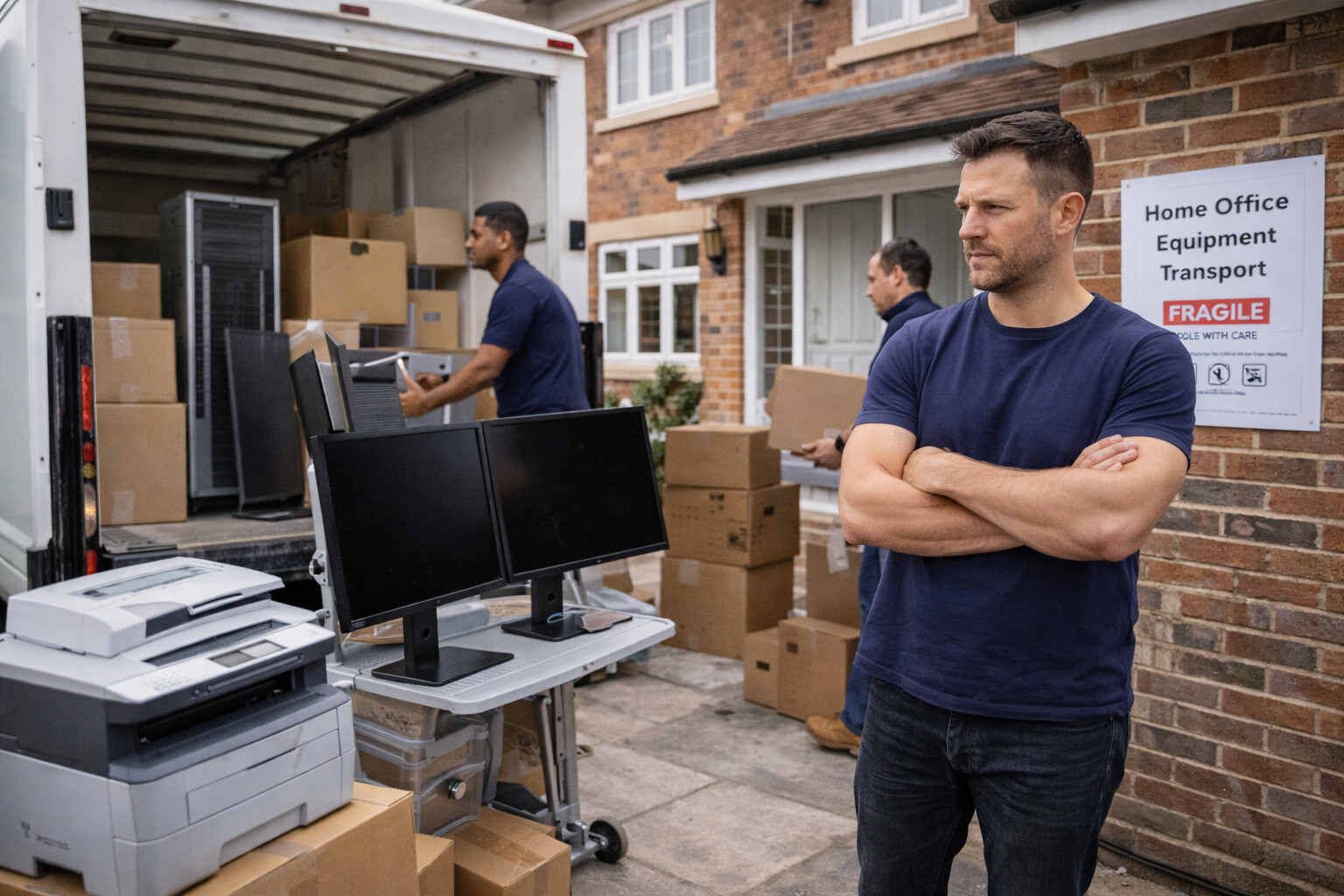
Home office moves have become one of the fastest-growing relocation types in the UK. With remote and hybrid work now firmly established, many people are relocating not just their living space, but also a fully functional workspace that supports daily income, deadlines, and client communication. Unlike a standard residential move, a home office relocation is defined less by furniture volume and more by equipment sensitivity, downtime risk, and operational continuity.
This guide explains how home office moves work in practice, what makes them different from normal house moves, and how to transport equipment safely while minimising disruption to work.
You can explore all related guides here:
https://blog.xvan.uk/types-of-moves/
What Is a Home Office Move?
A home office move involves relocating work-related equipment alongside—or sometimes separately from—household items. In many cases, the home office is the most critical part of the move because it directly affects income and productivity.
A typical home office move may include:
- Desktop computers or laptops
- One or multiple monitors
- Office desk and ergonomic chair
- Printers and scanners
- Networking equipment (routers, modems)
- Filing cabinets and documents
- Audio or video equipment
- Specialist tools depending on profession
Unlike traditional office moves, home office relocations are often carried out by individuals or couples, without an IT department or facilities manager to coordinate the process.
Why Home Office Moves Are Different From Standard Home Moves
The defining difference in a home office move is risk concentration. In a normal house move, delays or minor damage are inconvenient. In a home office move, the same issues can result in lost workdays, missed deadlines, or contractual problems.
Several factors make home office moves uniquely sensitive:
First, work equipment is usually high value and fragile.
Second, many items are difficult to replace quickly.
Third, reinstallation often requires time, calibration, or configuration.
Fourth, downtime directly affects income for freelancers, contractors, and remote employees.
Because of this, home office moves require a more deliberate approach than standard residential relocations.
Who Typically Needs a Home Office Move?
Home office moves are common among:
- Remote employees
- Freelancers and consultants
- Small business owners
- Content creators and designers
- Software developers
- Online tutors and educators
These individuals often rely on a stable workspace more than on household comfort during the first days after moving.
Typical Home Office Configurations
Home offices vary widely, but most fall into one of the following categories:
Lightweight Home Office
Includes a laptop, monitor, desk, and chair.
This setup is relatively easy to move but still requires care for electronics.
Full Desktop Setup
Includes a desktop tower, multiple monitors, peripherals, and cable management.
This configuration requires careful packing and transport to avoid internal damage.
Specialist or Equipment-Heavy Office
Includes audio gear, photography equipment, medical devices, or technical tools.
These setups demand extra protection and planning.
Understanding which category applies is essential before booking a move.
Equipment Sensitivity and Transport Risks
Electronic equipment is particularly vulnerable during transport due to:
- Shock and vibration
- Temperature changes
- Poor stacking
- Loose cabling
Desktop computers, in particular, can suffer internal damage if transported incorrectly. Monitors and screens are also prone to cracking if pressure is applied unevenly.
This is why home office items should never be treated as general household goods.
Packing a Home Office Properly
Packing is the single most important stage of a home office move.
Electronic items should be:
- Switched off and unplugged in advance
- Labelled clearly
- Packed separately from household items
Original packaging is ideal, but not always available. When it isn’t, proper padding, sturdy boxes, and upright positioning become critical.
Cables should be grouped and labelled to avoid confusion during reinstallation. Poor cable management after a move can easily add hours of unnecessary downtime.
Separating Work Items From Household Items
One of the most common mistakes in home office moves is mixing work equipment with general household boxes. This leads to:
- Difficulty locating essential items
- Delays in reassembly
- Increased risk of damage
A better approach is to treat the home office as a mini-move within the main move, with its own inventory, packing method, and unloading priority.
Timing and Downtime Management
Downtime is the most expensive hidden cost in a home office relocation.
Even a single missed working day can have consequences such as:
- Lost income
- Client dissatisfaction
- Missed meetings or deadlines
For this reason, many home office moves are planned:
- Outside working hours
- Over weekends
- In two phases (household items first, office equipment last)
This approach ensures the office is the first area to be operational in the new property.
Vehicle Size and Load Planning
Home office moves rarely require large vehicles on their own, but vehicle choice still matters.
If the office is moved separately, a small or medium van is usually sufficient. If combined with a household move, the office equipment should be loaded last and unloaded first.
Incorrect load sequencing is a common cause of delays and damage.
Loading and Handling Considerations
Electronic equipment should never be:
- Placed under heavy furniture
- Tilted excessively
- Left unsecured in transit
Even short-distance moves can result in damage if items shift during transport. Proper strapping and positioning inside the vehicle are essential.
For heavier desks or filing cabinets, professional loading help significantly reduces risk.
Internet and Connectivity Planning
Connectivity is a critical but often overlooked part of home office moves.
Before moving, it is important to:
- Confirm broadband availability at the new address
- Arrange installation dates in advance
- Prepare mobile data as a temporary backup
A perfectly executed physical move can still fail operationally if internet access is delayed.
Storage and Temporary Setups
Some home office moves involve temporary storage, particularly when:
- Renovations are ongoing
- There is a gap between properties
- Space is being reconfigured
In these cases, work equipment should be stored separately from household items and accessed easily to allow for temporary setups if needed.
Insurance and Liability for Home Office Equipment
Work equipment is often more valuable than general household contents. Goods-in-transit insurance is especially important for:
- Computers and monitors
- Specialist tools
- Audio-visual equipment
Relying on basic household cover is risky, particularly for self-employed individuals.
Cost Structure of Home Office Moves
Home office move costs are influenced less by distance and more by:
- Time spent packing and handling
- Level of care required
- Vehicle suitability
- Downtime minimisation
Paying slightly more for proper handling often saves money overall by preventing lost working days.
Why Generic Removal Services Often Fall Short
Traditional removals services tend to focus on volume rather than function. As a result, they may:
- Treat office equipment like furniture
- Lack flexibility in sequencing
- Underestimate the importance of timing
Home office moves benefit from services that understand operational priority, not just transport.
How Xvan Supports Home Office Moves
Xvan is well suited to home office relocations because it offers flexible booking options, appropriate vehicle sizing, and the ability to prioritise sensitive equipment within a move. This makes it easier to move workspaces efficiently without paying for unnecessary full-office services.
👉 Main site: https://xvan.uk
👉 Book via the Xvan platform
Step-by-Step Home Office Move Approach
A structured approach reduces risk significantly.
Before the move, equipment should be inventoried, backed up, and packed separately. On moving day, office items should be loaded last and unloaded first. After arrival, priority should be given to setting up the workspace before unpacking non-essential household items.
This sequencing allows work to resume quickly, even if the rest of the house remains unpacked.
Common Mistakes in Home Office Moves
The most common errors include packing office equipment too late, mixing work items with household goods, underestimating setup time, ignoring internet availability, and prioritising furniture over workstations.
These mistakes usually result in unnecessary downtime rather than direct damage.
Home Office Moves in the Types of Moves Framework
Home office relocations sit at the intersection of residential and business moves. They combine the personal nature of a home move with the operational sensitivity of an office relocation.
For a full overview of all move types, visit:
👉 https://blog.xvan.uk/types-of-moves/